
March 12, 2026
How to Use Incubation Station
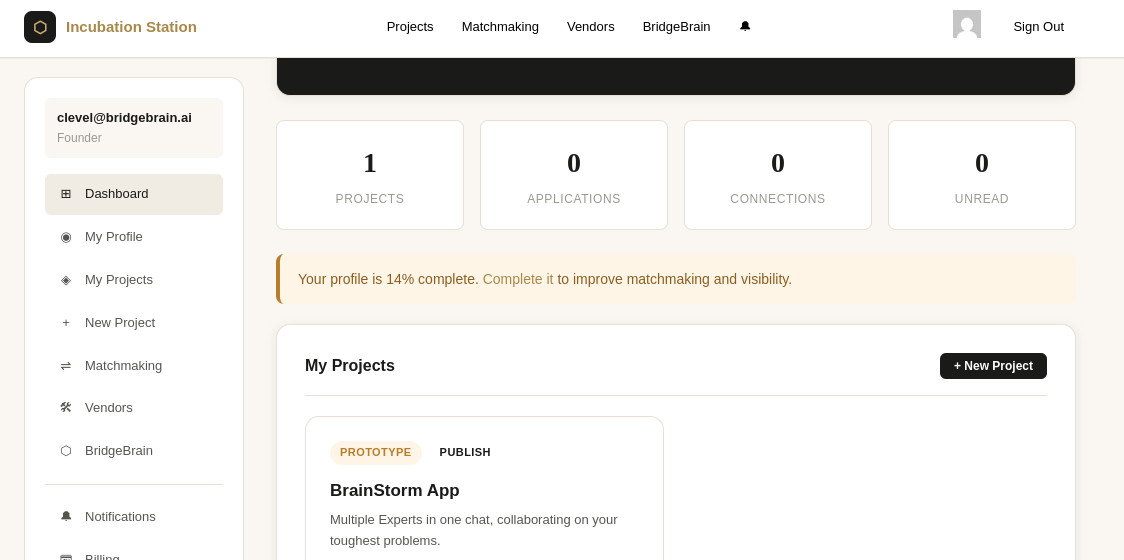
A quick guide to building and launching startups on the platform
Incubation Station was designed to be simple to join and powerful to use. Whether you’re starting a company, looking to join one, or searching for quality deal flow, the platform guides you through the process step by step.
This guide will walk you through how to get started and how to make the most of the system.
Step 1: Create Your Profile
Everything in Incubation Station starts with your profile.
When you sign up, you’ll enter a few basic details:
- Your name
- Title or role
- Short bio
- Location
- Website or social links
- LinkedIn profile
After that, the platform will guide you through a short onboarding process to understand where you are in the startup journey.
You might choose something like:
- I already have a startup
- I have a startup idea
- I want to create a startup
- I want to join a startup
- I’m an investor looking for deal flow
- I provide services to startups
Based on your selection, Incubation Station automatically places you in the parts of the platform that are most relevant to you.
Step 2: Set Up Your Startup Project (If You’re a Founder)
If you’re starting or running a company, the next step is creating a Project Page.
Think of this as the central hub for your startup inside the platform.
Your project page can include:
- Startup name and concept
- Current stage of development
- Description of the product or service
- Team members
- Skills or roles you’re looking for
- Traction or revenue information
- Links to your website or demo
You can control who sees your project by setting it as:
- Private – visible only to people you invite
- Passcode protected – accessible with a share code
- Public – visible to platform members
You can change these settings anytime.
Step 3: Invite or Recruit Your Team
Most startups are built by teams, not individuals.
Incubation Station helps you find collaborators through two main ways.
Direct Invitations
If you already know someone you want to work with, you can invite them directly to your project page.
They can join as:
- Co-founders
- Developers
- Designers
- Advisors
- Early team members
Applications
You can also allow members of the platform to apply to join your project.
People browsing the platform can see your startup, review your needs, and submit applications if they’re interested in helping build it.
Step 4: Use the Matchmaking System
One of the most helpful tools inside Incubation Station is matchmaking.
You can opt into the matchmaking system and tell the platform what you’re looking for.
Examples include:
- Co-founders
- Developers
- Designers
- Marketers
- Product managers
- Advisors
Each week, the system identifies potential matches and introduces people who might work well together.
This removes the need for endless networking and makes connections much more focused.
Step 5: Connect Your BridgeBrain Account
Incubation Station integrates with BridgeBrain, the infrastructure layer for AI personas and digital identity licensing.
When you sign up, the platform can automatically create or link your BridgeBrain account.
From your profile you can:
- Access your BridgeBrain API key
- Sync your persona inventory
- Connect your startup to licensed personas
- Integrate AI identity features into your project
For many AI-native startups, this becomes an important part of their business model.
Step 6: Build Toward Traction
The primary goal of Incubation Station is simple:
Help startups build real businesses.
Founders are encouraged to focus on:
- Launching their product
- Finding early users
- Generating traction
- Reaching cash flow
As your startup progresses, you can update your project page to reflect new milestones such as:
- product launch
- active users
- revenue
- growth metrics
This helps other members of the ecosystem understand where your company stands.
Step 7: Unlock Investor Visibility
Investors are part of the platform, but they see a curated view.
Instead of browsing raw startup ideas, investors gain access to qualified startups that have demonstrated traction.
When your project shows sustained revenue and you choose to allow investor visibility, your startup can enter the investor discovery pool.
At that point:
- Investors may request introductions
- You can choose which conversations to pursue
- Funding discussions happen when the company is ready
This keeps the platform focused on building first, fundraising second.
Step 8: Find Services When You Need Them
Startups often need outside help from time to time.
Incubation Station includes a Service Directory where founders can discover professionals such as:
- lawyers
- developers
- branding specialists
- marketing teams
- product consultants
Unlike most platforms, service providers cannot cold pitch founders. They appear in the directory so founders can find them when needed.
This keeps the environment focused on building rather than sales outreach.
A Platform Built for Builders
Incubation Station was designed to support the real work of building companies.
Instead of endless networking and pitching, the platform focuses on:
- collaboration
- progress
- traction
- meaningful connections
Whether you’re launching a startup, joining one, investing in them, or supporting them, the system is designed to help serious builders move forward.
Ready to Get Started?
Create your profile, explore the platform, and start building.
Because the best startups don’t come from ideas alone.
They come from people who execute.